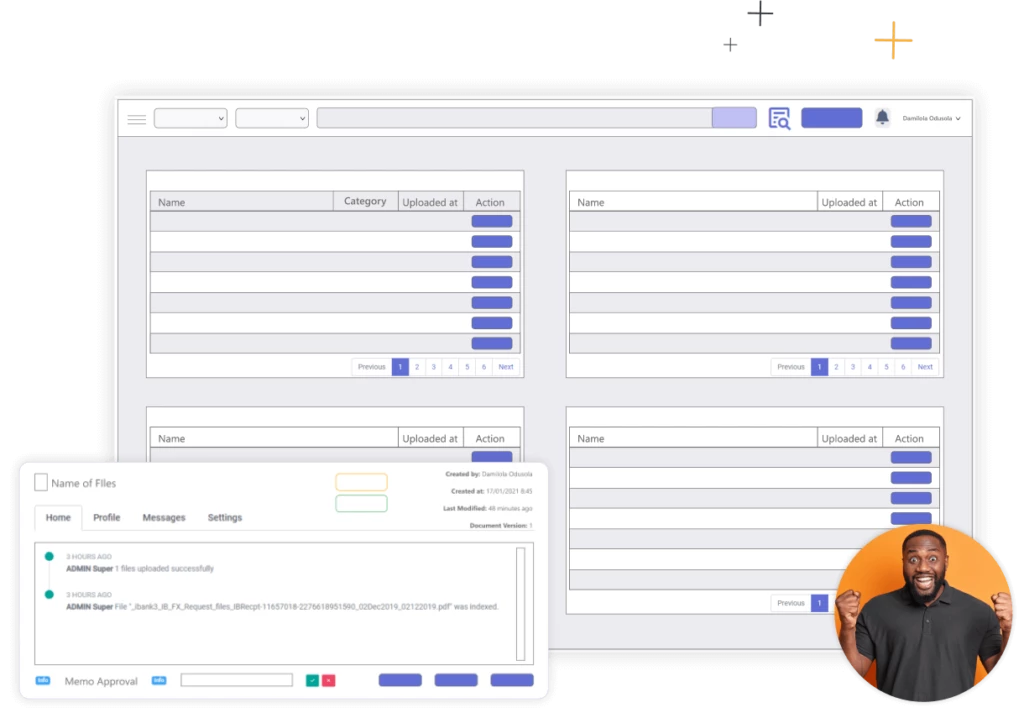
Software for document management, workflow management, process automation, content management, information management.
Trusted by some of the biggest companies in the world
Maxfiles is an all-in-one document management and process automation system that makes workflow management, document management, digital archiving and retrieval of documents and information easier than ever.
MaxFiles simplifies complex business processes and prevents costly delays by automating repetitive workflows like HR, customer relations, and approvals. By creating a single, centralized channel for your operations, our workflow engine eliminates the manual data entry errors that compromise your data’s integrity.
Every department stays connected to a reliable, single source of truth, ensuring your team always has the exact document they need to work efficiently and scale without bottlenecks.
MaxFiles eliminates the massive amount of time and money companies waste searching for documents. By using intelligent tagging and intuitive indexing right from the point of data capture, it breaks down organizational silos.
With advanced filtering – by name, type, keyword, or ID – every file becomes instantly accessible, saving costly human resource hours and putting everything you need right at your fingertips.
MaxFiles delivers enterprise-grade security and complete access control, ensuring your organization’s data stays fully protected. By intelligently syncing with your company’s reporting lines, the system automatically grants the right people access to the appropriate information at every stage. You can easily share or retract permissions with a single click, while the central dashboard provides full visibility over your team’s access. With built-in data encryption, loss prevention, and automated backups, you can enforce strict security policies without slowing down your workflow.
MaxFiles delivers legally binding e-signatures and secure document execution, ensuring your organization’s contracts are finalized without delay. By managing signature requests through encrypted links, the system automatically validates signer credentials and captures permanent execution records at every stage. You can easily sign or request approvals from any device, while complete audit trails provide full visibility over user identity and timestamps. With built-in identity authentication, intent confirmation, and post-signing integrity protection, you can ensure strict legal compliance without slowing down your workflow.
Maxfiles is an all-in-one document management and process automation system that makes workflow management, document management, digital archiving and retrieval of documents and information easier than ever.
Automate repetitive tasks to eliminate errors and centralize your operations. Keep every department connected to a single source of truth so your team can scale without bottlenecks.
Stop wasting time searching with intelligent tagging and advanced filtering. Make every document instantly accessible to break down silos and save costly HR hours.
Protect your data with enterprise-grade security and smart access control based on your reporting lines. Easily manage permissions with a single click to maintain strict compliance.
Finalize legally binding contracts instantly from any device with encrypted signature requests. Ensure total compliance with built-in identity authentication and automated audit trails.
Find quick answers to the most common questions about our platform, services, and how we work.
A document management system (DMS) is software that stores, organizes, tracks, and manages electronic documents. MaxFiles EDMS goes further by providing metadata-driven organization, automated workflows, version control, and granular security, transforming how businesses handle information.
Cloud storage provides basic file storage and sharing. MaxFiles provides intelligent document management with metadata organization, automated workflows, version control, granular permissions, audit trails, and compliance features. It’s designed for businesses that need control, security, and accountability, not just storage.
MaxFiles uses bank-level 256-bit encryption, granular access controls, complete
audit trails, and secure cloud or on-premises hosting. Your documents are protected
from unauthorized access, tracked for compliance, and backed up regularly.
Yes. MaxFiles includes OCR (Optical Character Recognition) technology that makes
scanned documents fully searchable. We also offer complete digitization services to
convert your paper archives into searchable digital files.
MaxFiles tracks every document version automatically. View complete version history, compare changes between versions, and restore previous versions if needed. Everyone works from the latest version while preserving historical information.
Yes. MaxFiles provides web and mobile access, allowing authorized users to view, search, and interact with documents from any device, anywhere. Security controls remain in effect regardless of access method.
Implementation timeframes vary based on document volume and complexity, but
most organizations are operational within 4-8 weeks. We handle document digitization,
system configuration, and user training to ensure smooth deployment.
MaxFiles has multiple protections: only authorized users can delete, all deletions are
logged in audit trails, version history is preserved, and deleted documents can be
recovered from the recycle bin before permanent removal.
Workflow automation automatically routes documents through business processes —approvals, reviews, sign-offs — based on predefined rules. MaxFiles
workflow automation eliminates manual handoffs, sends automatic notifications, provides real-time tracking, and ensures consistent process execution.
No. MaxFiles’ visual workflow designer lets business users create and modify workflows without coding. If you can draw a flowchart, you can build a MaxFiles workflow.
Yes. Automated workflows ensure processes are followed consistently every time, create automatic audit trails, enforce approval hierarchies, maintain complete documentation, and flag exceptions—all essential for regulatory compliance.
Workflows can be updated anytime using MaxFiles’ visual designer. Changes take effect immediately without system downtime or IT intervention. This agility helps businesses adapt quickly to changing requirements.
Yes. MaxFiles workflows can trigger actions in connected systems — updating accounting software, notifying CRM systems, logging activities in other applications—through our integration capabilities.
MaxFiles can escalate to alternate approvers, route to backup staff, or hold items until the original person returns—depending on how you configure each workflow. Escalation rules prevent bottlenecks from absences.
Yes. A document might go through approval workflow, then execution workflow, then archival workflow. MaxFiles handles sequential workflows seamlessly, moving documents through each stage automatically.
Yes. Digital signatures through MaxFiles meet legal requirements through authentication, intent confirmation, integrity protection, and complete audit trails. They comply with electronic signature laws and provide necessary documentation for legal validity.
Yes. MaxFiles can route documents to external signers (clients, vendors, partners) via secure links. They don’t need MaxFiles accounts to sign—authentication can be via email verification.
E-signature capability is included in MaxFiles. There are no per-signature fees or separate licensing costs, making digital execution affordable even for high-volume document workflows.
Some highly regulated documents (notarized documents, certain government filings) may still require physical signatures. MaxFiles handles these through hybrid workflows—digital signatures where allowed, flagging for physical signatures where required.
No. Once a document is signed through MaxFiles, the system locks the signed version against editing. Any subsequent changes create a new version, preserving the integrity of the originally signed document.
MaxFiles embeds user identity, timestamp, device information, and document state in audit trails. This information is permanent and allows verification of signature authenticity at any time—essential for compliance and legal proceedings.
Yes. MaxFiles supports sequential signing (in order), parallel signing (simultaneously), and conditional signing (based on criteria). Workflows ensure all required signatures are collected properly.
Yes. MaxFiles e-signature works on any device with internet access—desktop, laptop, tablet, or smartphone. Signers can review and sign documents from anywhere.
MaxFiles uses 256-bit encryption, granular access controls, complete audit trails, strong authentication, and secure hosting. These features provide bank-level security appropriate for protecting sensitive business information.
MaxFiles features support compliance with financial regulations (CBN, SEC), data protection laws (NDPR, GDPR), healthcare requirements, legal practice standards, and government records management requirements.
Yes. MaxFiles enforces granular permissions ensuring users only access documents they’re authorized to view. All access is logged in audit trails showing who accessed what and when.
MaxFiles automatically logs all document actions in tamper-proof audit trails.
Generate compliance reports showing access patterns, permission structures, and
document activities for regulatory audits.
Yes. MaxFiles audit trails show complete access history for every document, who viewed it, when, from what device, and what actions they took.
Yes. Configure retention rules based on document types and regulatory requirements. MaxFiles automatically manages document lifecycles, archives documents when appropriate, and flags documents eligible for deletion per policies.
MaxFiles blocks unauthorized access attempts and logs them in audit trails. Administrators can configure alerts for repeated unauthorized access attempts or other security events.
Yes. MaxFiles integrates with corporate Active Directory, supports single sign-on (SSO), and can work within existing security infrastructure without requiring separate authentication systems.
Take full control of your business files today. Store securely, search instantly, and access anywhere.
Want to know what we’re up to? Sign up for our newsletter.
| Cookie | Duration | Description |
|---|---|---|
| cookielawinfo-checkbox-analytics | 11 months | This cookie is set by GDPR Cookie Consent plugin. The cookie is used to store the user consent for the cookies in the category "Analytics". |
| cookielawinfo-checkbox-functional | 11 months | The cookie is set by GDPR cookie consent to record the user consent for the cookies in the category "Functional". |
| cookielawinfo-checkbox-necessary | 11 months | This cookie is set by GDPR Cookie Consent plugin. The cookies is used to store the user consent for the cookies in the category "Necessary". |
| cookielawinfo-checkbox-others | 11 months | This cookie is set by GDPR Cookie Consent plugin. The cookie is used to store the user consent for the cookies in the category "Other. |
| cookielawinfo-checkbox-performance | 11 months | This cookie is set by GDPR Cookie Consent plugin. The cookie is used to store the user consent for the cookies in the category "Performance". |
| viewed_cookie_policy | 11 months | The cookie is set by the GDPR Cookie Consent plugin and is used to store whether or not user has consented to the use of cookies. It does not store any personal data. |